
Kya aapne kabhi socha hoga? How to use Gemini Live me aapka phone aapse ek real human ki tarah baat kare? Vo bhi jab aapka phone aapke pocket mein ho. Google ne Gemini ke saath AI ki duniya me ek kranti laya hai. Agar aap ek content creator, student, Professional ho aur aap India me rahte ho, Toh Google ka ye features How to use Gemini Live seekhna Aapke liye best hai. Aur yeh 2026 mein ek bada game changer bhi ho sakta hai.
Mai aapko detailed me step-by-step bataunga ki Gemini Live kya hai. How to use Gemini Live bahut hi simple way me. Kyonki aap chahe beginner hi kyon na hon.
🤖 What is Gemini Live & Its Best Key Features
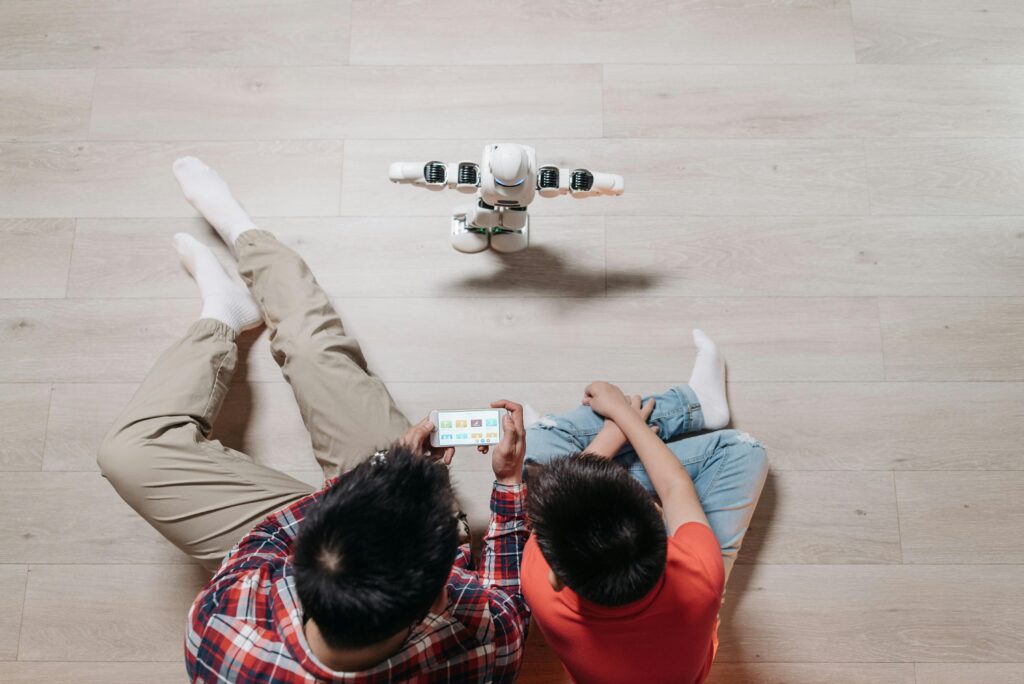
Gemini Live Google ka ek advanced AI voice assistant hai. Jo Gemini 3.1 Flash model-based. Ye real human ki tarah conversations karta hai. Ise reasoning engine bhi bolte hai. Jo aapki real baaton ke peeche ka context samjhta hai.
Ek chatbot ki tarah nahi, aur na hi aapko command type karne ki need hai. Bas aap ek natural human ki tarah baat kar sakte ho.
Yaha kuch features ke overview hain
| Feature | Details |
|---|---|
| Tool Name | Gemini AI |
| Developer | |
| Type | AI Voice Assistant |
| Languages Supported | 45+ Languages |
| Available in the country | 150+ Countries |
| Device Required | Android Smartphone, IOS |
| Use Cases | Study, Work, and Daily Tasks |
⭐ Important 👉 Gemini Live features
- Supports 45+ languages
- Available in 150+ countries
- Feels like talking to a real human
- Works for both personal and work tasks
⚙️ Core Features Explained Simply
Yaha kuch 👉 Gemini ke features hai, you should know:
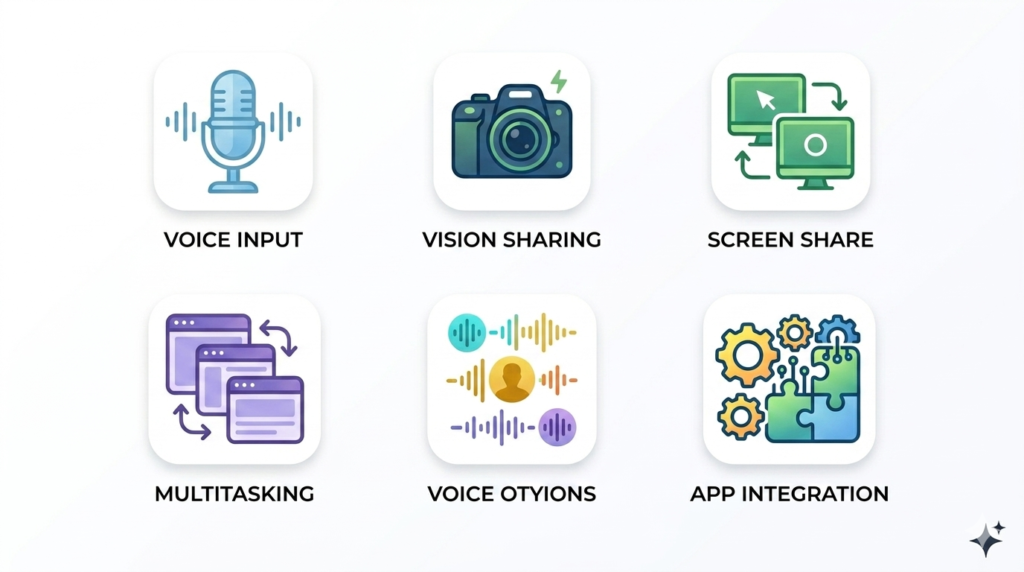
- 🎤 Interrupt anytime (barge-in)—Aap Gemini ko beech me hi tok (Interrupt) kar sakte ho.
- 📷 Camera sharing – Ye aapke camera ke jariye duniya dekh sakta hai.
- 📱 Screen sharing – Aap screen share karke apni help le sakte ho.
- 🔊 Background use – Kaam karte vaqt dusra app use kar sakte ho.
- 🎙️ Voice options – Hindi aur English me smooth conversation kar skate ho.
- 🔗 Google integration – Works with Gmail, Maps, Calendar, etc.
Gemini Live ke kuch Core Features hain.
| Feature | What It Does |
|---|---|
| Barge-in | Interrupt anytime |
| Camera Sharing | Show objects for help |
| Screen Sharing | Share screen for guidance anytime |
| Background Mode | Use for multitasking work |
| Voice Options | Choose 45 different voices |
| Google Integration | Connect Gmail, Maps, Calendar, etc. |
How to use Gemini Live: Step-by-Step Setup Guide
Chalo, ab practical mein baaten karte hain. Isko setup karna bahut hi asaan hai. But kuch chijo ko dhyan me rakhna bahut hi jaruri hai.
System Requirements
- Android phone or tablet: Koi bhi ek smartphone hona chahiye
- Gemini mobile app installed: App installed
- Personal or work Google account: Usme Google account create ho
- Latest version of Google App: Updated version installed ho
- Must be 18 years or older: You have more than 18 years
How to Set Up a Gemini Live Account
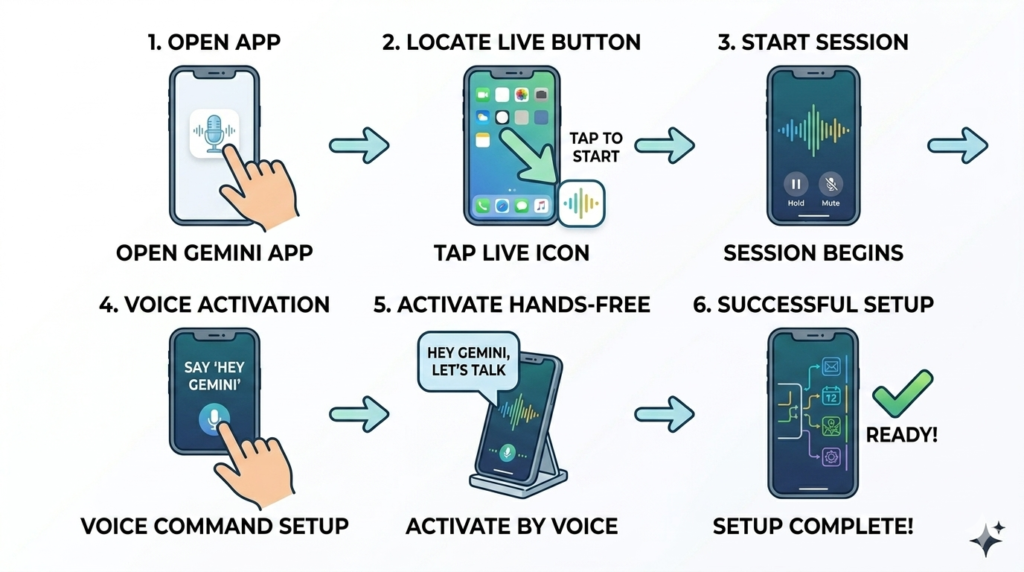
Method 1: Mobile App se Activation
- Open the Gemini mobile app on your Android device (Gemini App open karo)
- Tap the Live button at the bottom of your screen (Live button ko Tap karo jo niche right me hai)
- Alternatively, swipe left to access the Live feature. (Waveform icon par click karein.)
- Follow the on-screen setup instructions for first-time users (Ab aap isse baatein karna shuru kar sakte hain.)
Method 2: Voice Activation
Bas aap bolein, “Hey Google, let’s talk Live” to activate the feature hands-free
| Method | Steps | Best For |
|---|---|---|
| App Method | Open Gemini app → Tap Live | Beginners |
| Voice Method | Say, “Hey Google, let’s talk Live.” | Quick Access |
Gemini Live Tutorial: Basic to Advanced Usage
Bahut se log Gemini se sawal puchne ke liye use karte hain, but iska to asli maza Gemini Live Tutorial ke advanced steps mein hai. Aur agar aap free vs paid AI tools ke baare mein details janna chahte hain, to ye blog padh sakte hain.
Complete Gemini Live Walkthrough for New Users
Gemini 2026 mein new Indian accent ke saath aata hai. Jise ki aap settings me jakar change kar skate hain.
Basic Conversation Controls:
- Mute/Unmute: Control. During the call, aap apne audio ko control kar sakte ho.
- Hold: Temporarily pause conversations
- End Session: Terminate chats and review transcripts
Advanced Interaction Features:
- Natural Conversations: Engage without rigid command structures
- Topic Switching: Seamlessly change subjects mid-conversation
- Brainstorming: Generate ideas for gifts, events, or business plans
- Practice Sessions: Rehearse presentations or important conversations and Interviews
2. Topic Switching and Context Retention
Gemini Live ki sabse badi khasiyat ye hai ki uska context window jaise ki aap kisi se content strategy par baat kar rahe ho aur achanak me dinner ki baat chalni start ho gayi. Yeh dono baaton ko bhulega nahi, balki dono topics ko connect kar deta hai.
Camera and Screen Sharing Capabilities
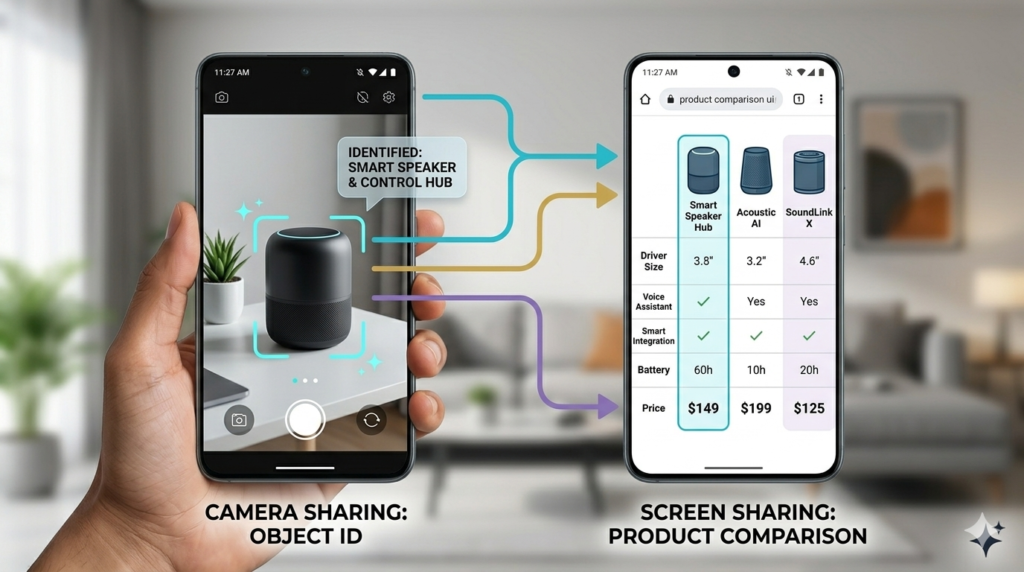
Gemini Live Features 2026 mein sirf audio tak limited nahi hai. Ab ye dekh aur sun bhi sakta hai.
Camera Sharing for Visual Assistance:
- Live chat Camera icon par tap karo
- Camera ko gadget ki taraf point karein
- Ask questions like “What is this?” for instant identification (Puchiye Gemini se is device ka India me kya price hai).
- Request help reading small text or ingredient lists
Top 5 Real Use Cases: Screen Sharing for Real-Time Help
- Select Screen Sharing during conversations
- Share what you’re viewing on your device
- Get assistance with product comparisons while shopping
- Receive style advice or feedback on documents
- Bus! Ab aap Gemini se baatein shuru kar sakte hain.
Agar aap kisi food ki recipe chahte ho, to apna screen share karein, aur Gemini apka screen dekhega aur aapko live recipe batayega.
2026 Updates and Enhanced Features: Gemini 3.1 Flash
Is Saal mein update making Gemini even more powerful and stronger?
1. Latency: Ab jawab milne mein 0.5 second se bhi kam time lagta
2. Memory Transfer: Agar aap pahle jaise ki koi other AI tools use krte the, like ChatGPT, to uske sabhi chats Gemini mein import kar sakte hain.
3. Personal Intelligence: Ye apke calendar aur Gmail se connected hai. Agar apne aapne pucha, “Kal meri meeting hai,” toh ye turant calendar check karke bat dega.
Expert Gemini Live Tips and Best Practices for 2026

Maximizing Conversation Quality
1. Be Natural: Command dene ki jarurat nahi hai, balki isse jayada baatein kijiye. Jitna aap isse natural honge. Output utna hi behtar milega.
2. Use Headphones: Bahar ki noise se bachne ke liye headphones ka use karein. Isse voice aur bhi behatar ho jaati hai.
3. Interrupt Freely: Agar Gemini bahut lamba answer de raha hai to use beech me hi tok de, Aur dusra answer puche.
Conclusion:

How to use Gemini Live: Yeh ek technical skill nahi hai, balki ek naye tareeke ka digital lifestyle hai. 2026 mein jo log AI ke saath kaam karna seekh jayenge. Wo career aur creativity dono mein aage rahenge. Iska ye walkthrough aapko ek beginner se pro banane ke liye kaafi hai.
To, Kya aapne Gemini Live use kiya?
Neeche comments mein batayein ki aapka pehla experience kaisa raha!
FAQ Section:
Q1: Kya Gemini Live India mein free hai?
A: Iska basic version free hai. Agar aap advanced AI use karna chahte ho, Google One AI ka premium subscription lena pad sakta hai.
Q2: Kya mai Gemini Live bina internet ke use kar sakta hu?
A: No, Internet connection jaruri hai.
Q3: Kya yeh Hindi samajhta hai?
A: Bilkul, Gemini Live ab 70+ languages aur multiple Indian dialects support karta hai.
Q4: Kya Gemini Live meri privacy ke liye safe hai?
A: Google apke data ko encrypt karta hai. lekin hamesha dhyan rakhein ki koi bhi personal information kisi ke sath share na karein. (Password OTP Bank Details)